/ About the project
Yomo is a personalized food navigation platform crafted for health-conscious individuals and people with dietary restrictions, simplifying the search for recipes, restaurants, and groceries that align with their needs and preferences. Designed as a cohesive ecosystem, Yomo connects across mobile, desktop, and smart glasses, keeping the three interfaces working as one system.
/ INDUSTRY
Health
/ SCOPE
Visual Identity, UX/UI
/ Credits
Client: Self-Initiated Proposal
Designer: Micah Hoang
/ Year
2024

Limited food transparency makes it hard for people with dietary restrictions to find options they can eat, while small restaurants built on ingredient clarity struggle to get seen. Research, interviews, and competitive analysis surfaced the insights and positioning that pointed to a targeted solution.
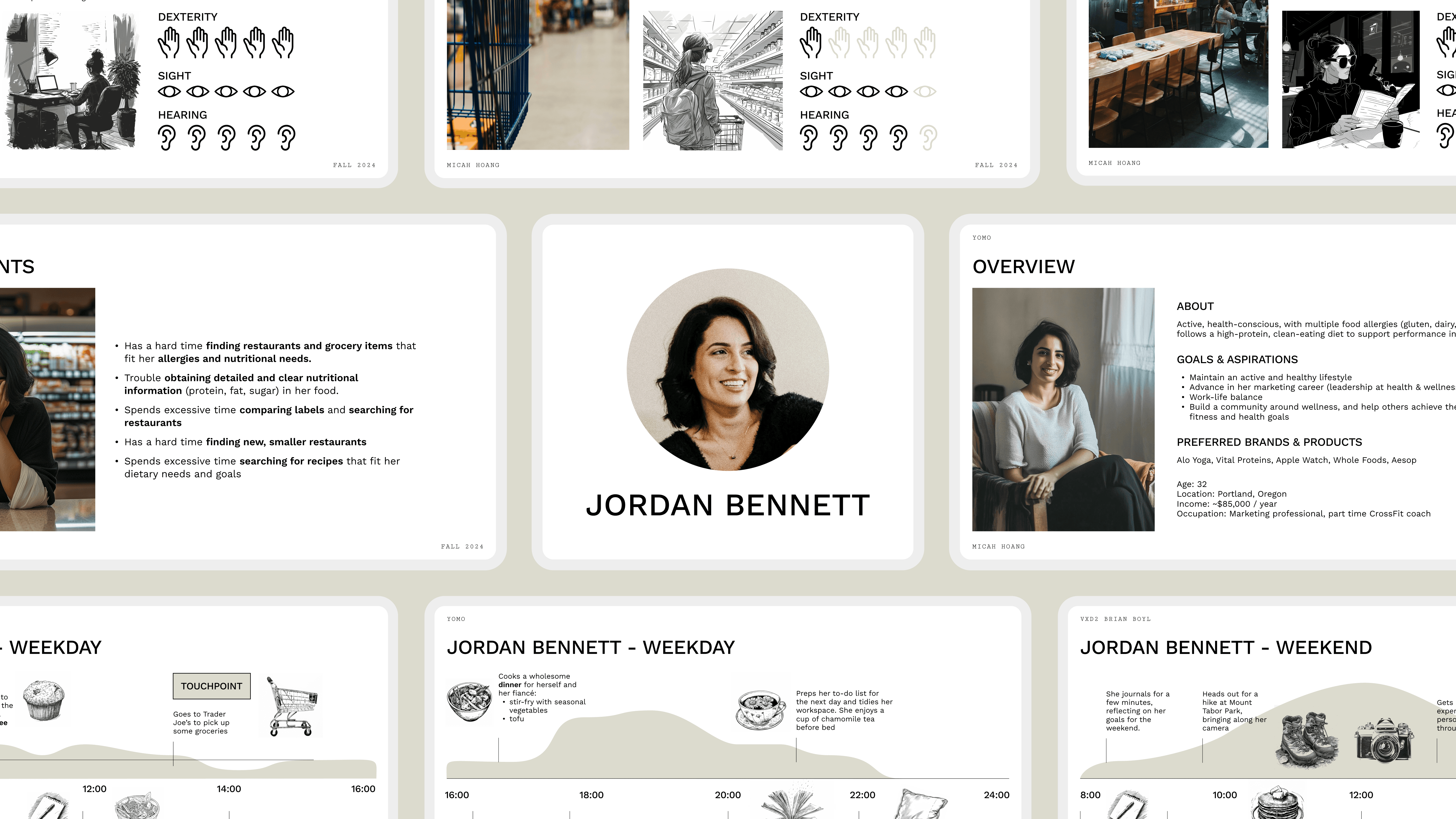
Jordan Bennett, who manages gluten, dairy, and nut allergies, anchored the design as the primary persona. Her need for transparency and convenience drove the core features: allergen verification and personalized recommendations.
Solution
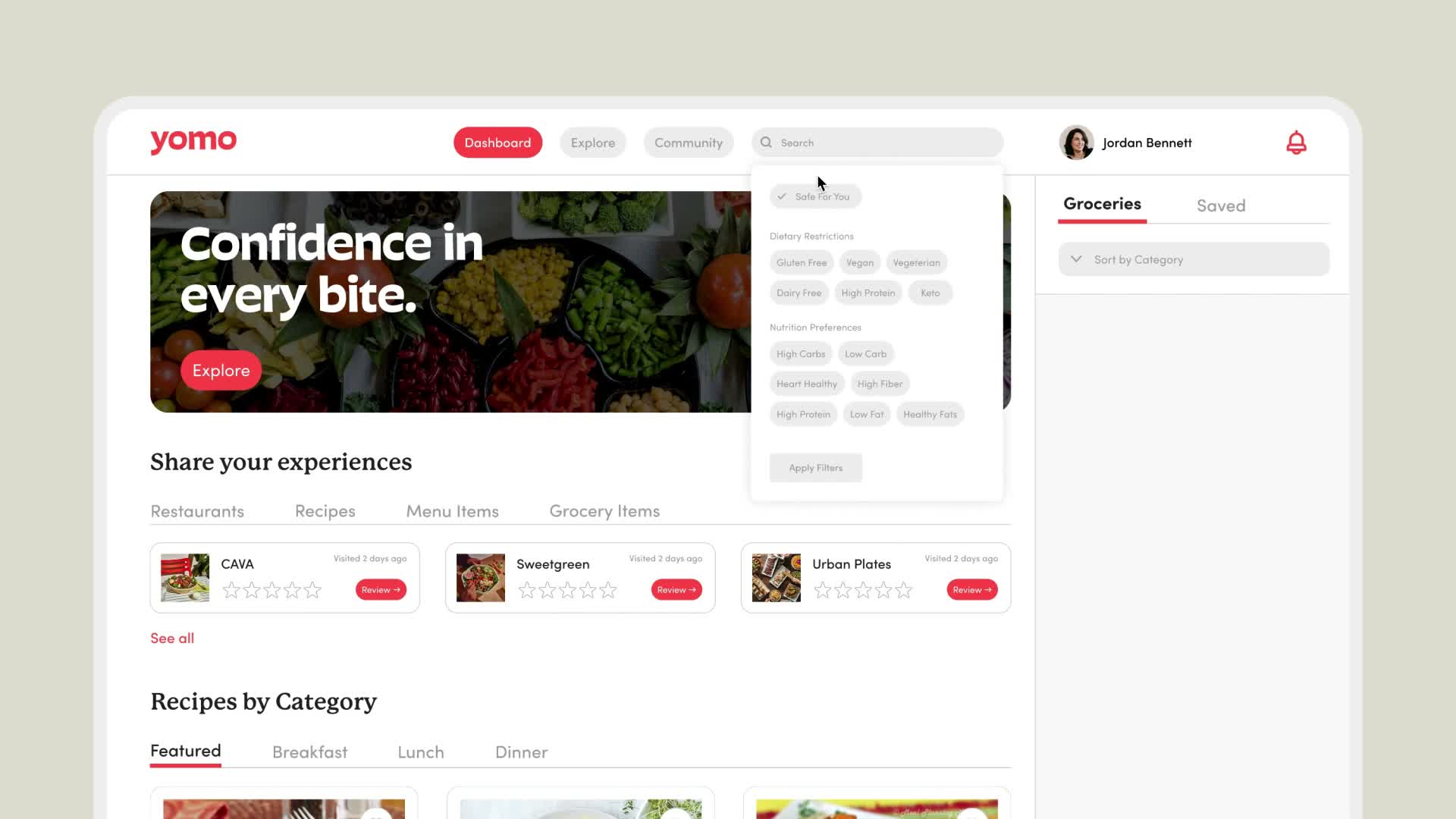
Yomo’s desktop homepage offers easy access to the Dashboard, Explore, and Community pages. Users can discover recipes by category, add items to their grocery list, stay updated with the latest food and health news, and save favorite ingredients for future use.


Yomo's mobile interface makes it easy to find local restaurants that fit users' dietary needs and preferences. Users can browse restaurant and dish images, access detailed nutritional information, and get integrated Maps directions.
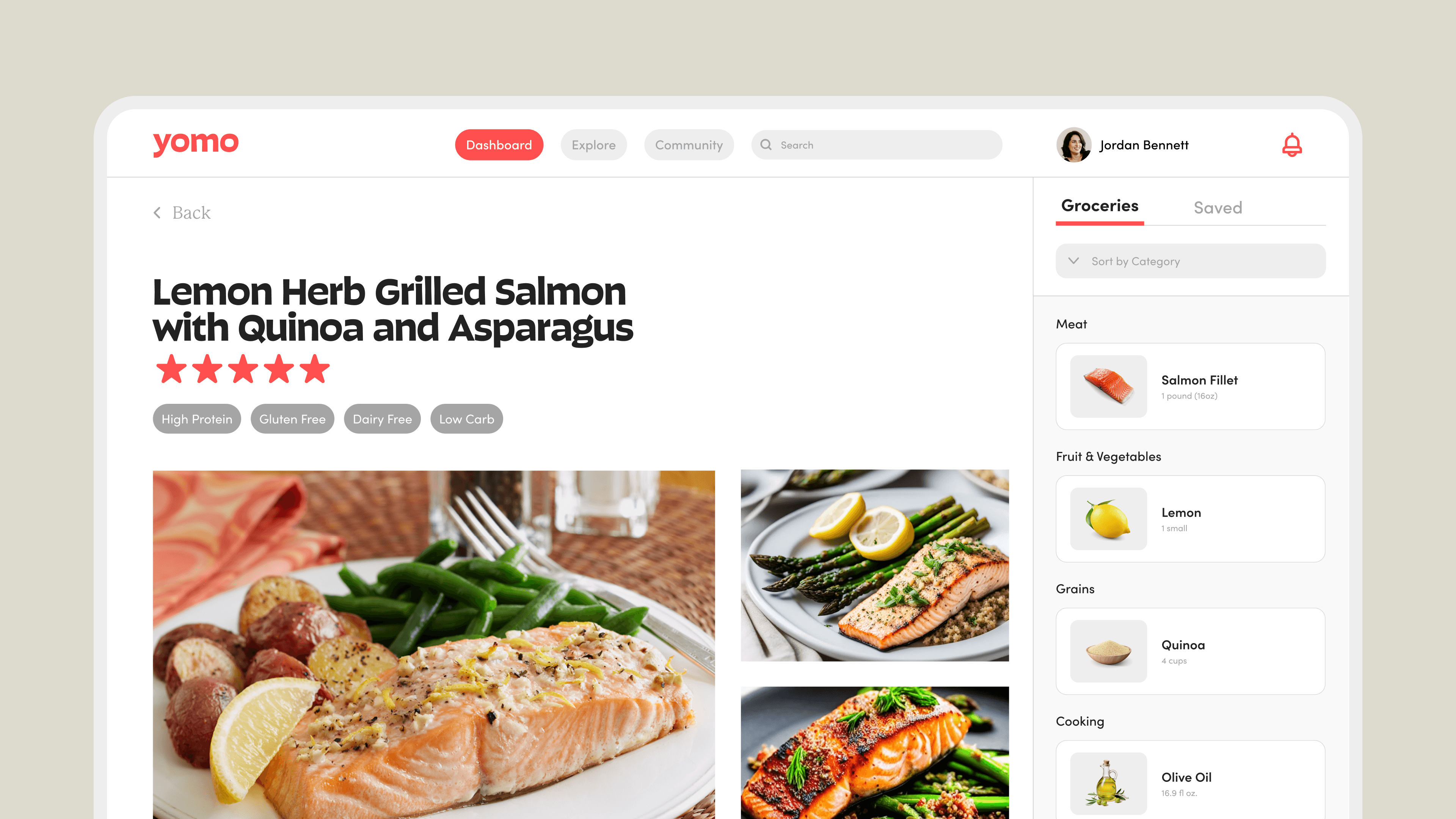
The desktop dashboard is built for recipe discovery: users filter popular recipes by their dietary needs, then open any recipe for nutrition details, step-by-step instructions, and the option to add ingredients to a grocery list with one tap.

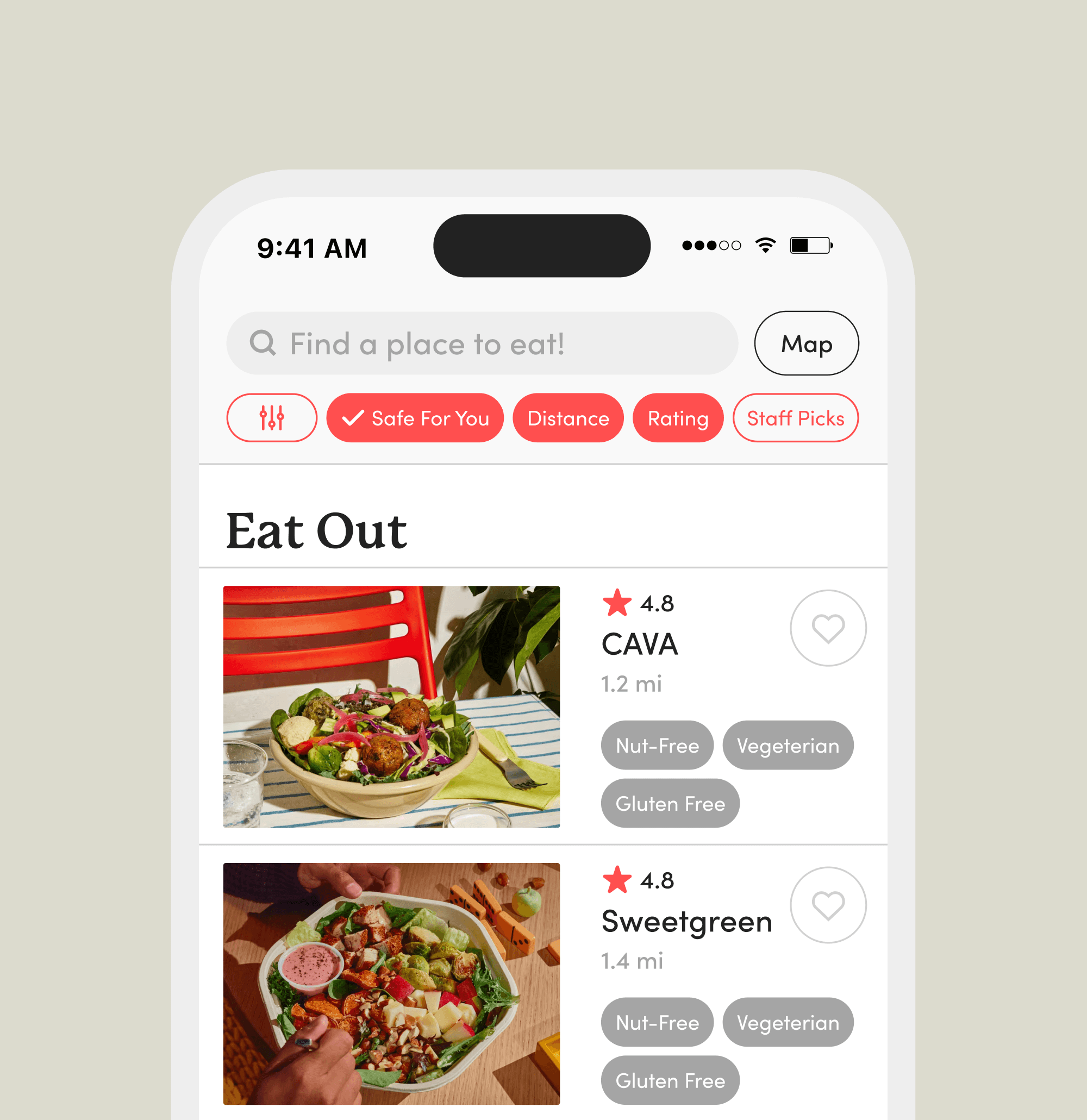
The mobile interface offers a Map mode for visually locating nearby restaurants and grocery stores tailored to the user’s preferences. For a detailed view, List mode provides allergy callouts and photos for quick, informed decisions.
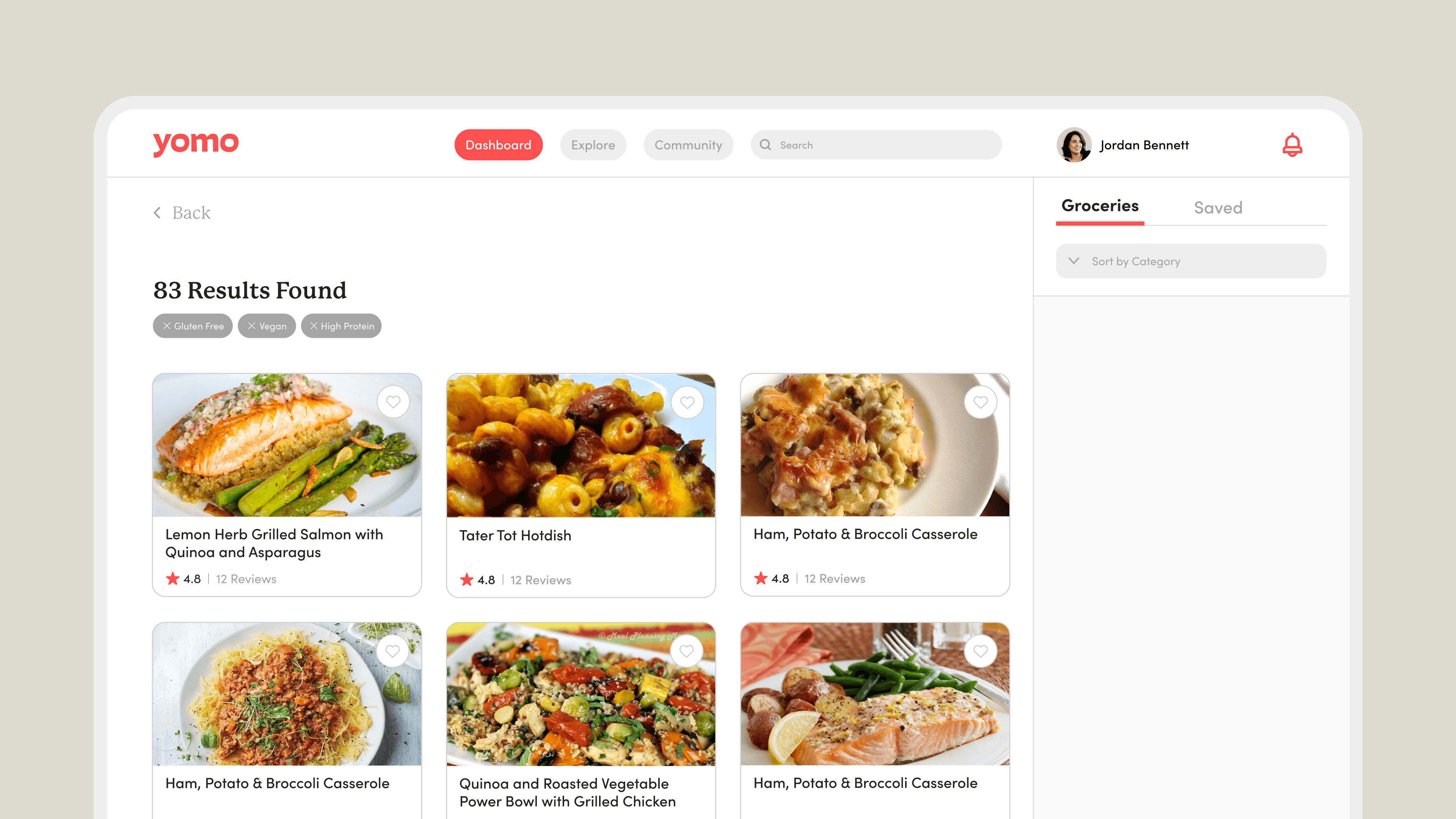
Users can search for recipes using a range of dietary and allergen filters, ensuring complete food transparency and compatibility with their needs.


The smart glasses interface extends saved grocery lists into the store. Using GTIN data, the glasses provide real-time wayfinding and display essential ingredient details as users shop.
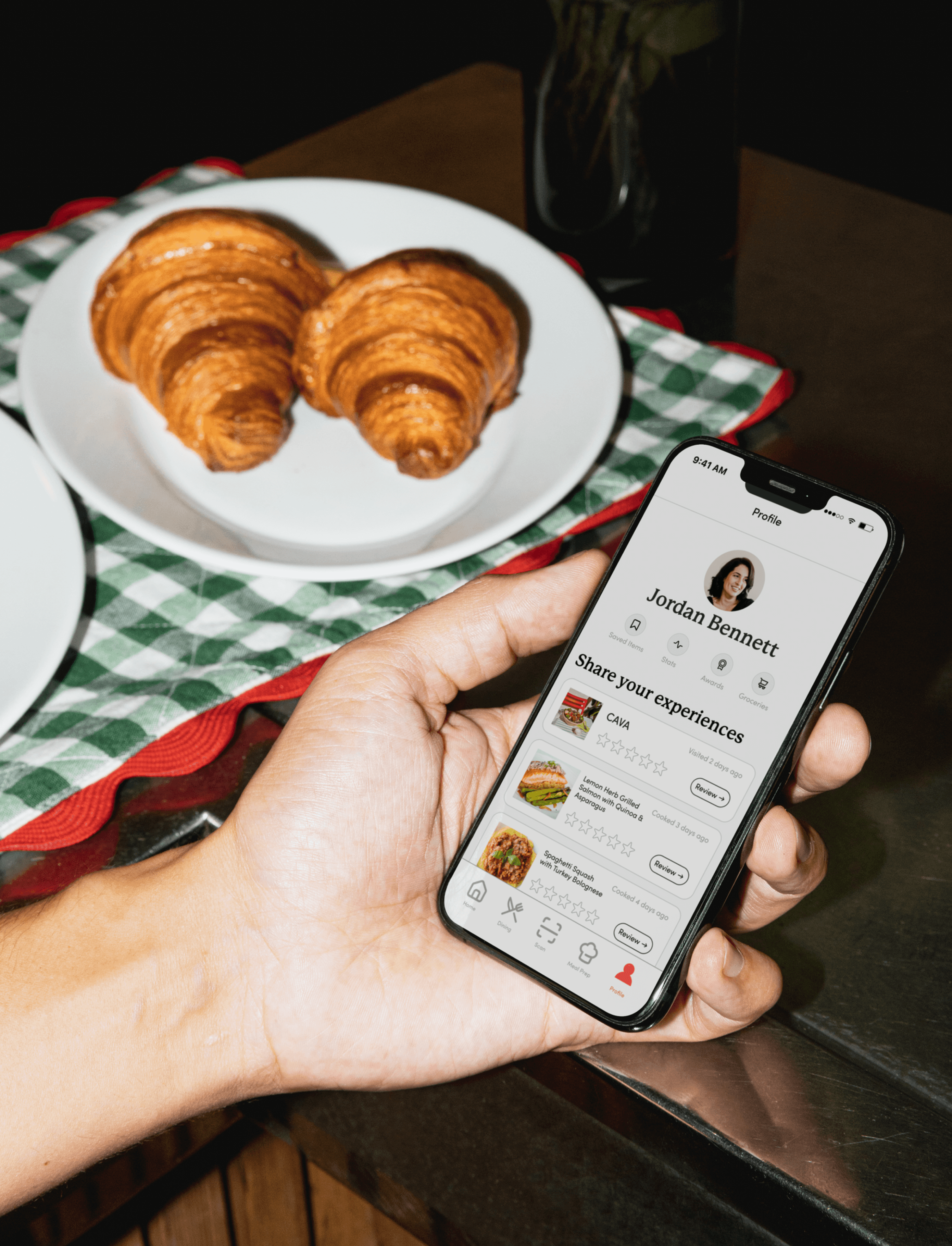
The profile page on the mobile interface allows users to manage their saved items, update dietary preferences, and leave reviews for restaurants, dishes, and grocery items. Users can also verify the accuracy of existing information, contributing valuable insights to the community and enhancing the experience for future users.
Visual Identity
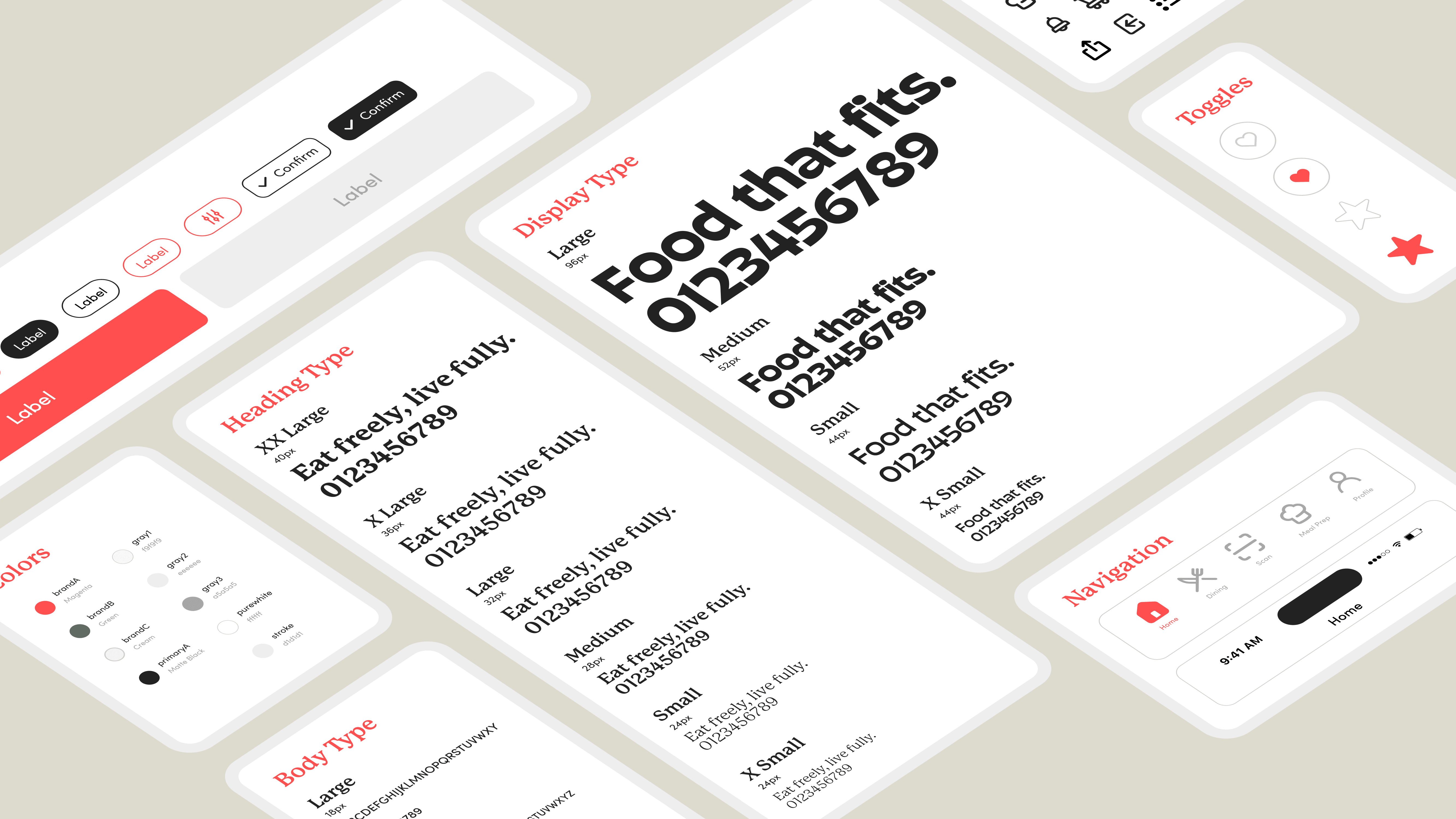


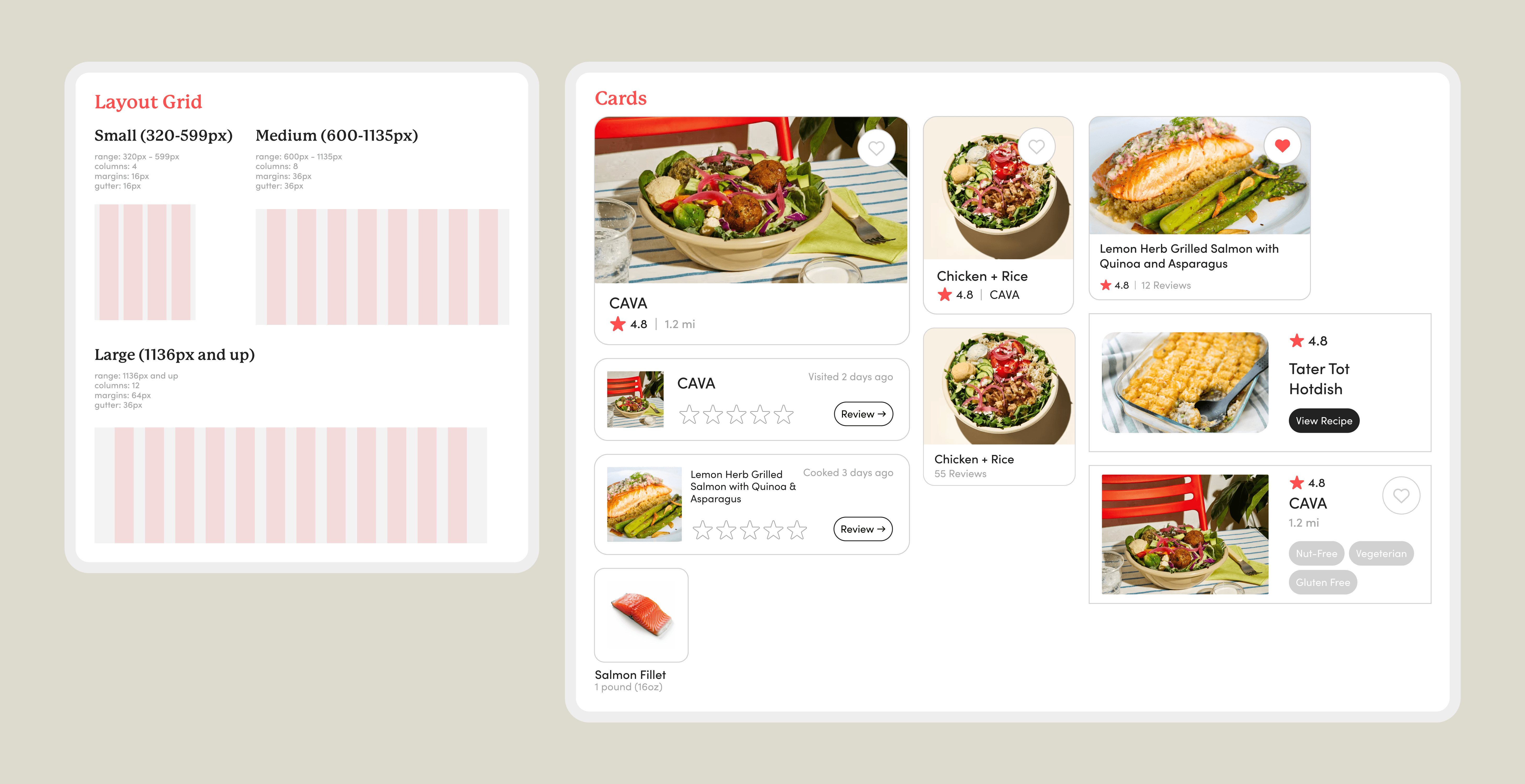
Primary Use Case
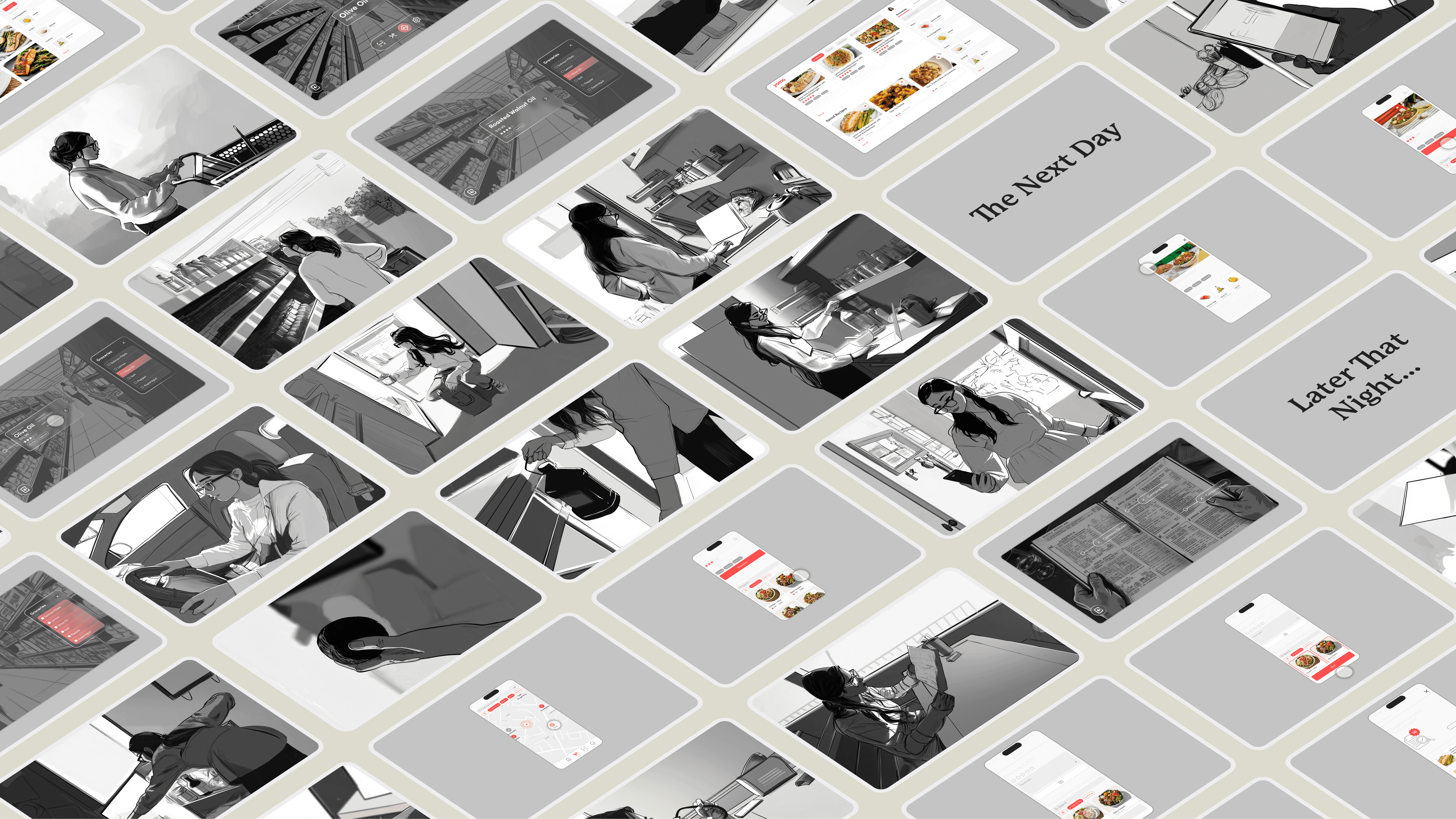
The primary use case follows Jordan across allergen verification, personalized recipe discovery, and grocery list generation. Mapping her journey through the system kept the mobile, desktop, and smart glasses interfaces working as one system rather than three.
Structure

From the primary use case, user goals were defined and translated into tasks and essential features. These features were structured into a sitemap, while a device ecosystem map illustrated how Yomo's desktop, mobile, and smart glasses interfaces work together.

Rough wireframes were developed from the sitemap, providing a quick way to see how the system would function.